

 All news is rigorously fact-checked and reviewed by leading blockchain experts and seasoned industry insiders.
The Trezor Model T is an open-source, touchscreen hardware wallet designed to make self-custody simple and secure. It supports major coins and thousands of tokens, offers advanced Shamir backup options, and keeps all sensitive actions on-device—no Bluetooth required. If you value transparency, clear transaction review, and a beginner-friendly setup, the Model T is a strong pick in 2025.

Quick Verdict
The Model T excels in transparency, UX, and recovery options. If you value open-source and on-device clarity over a certified secure element, it’s a top pick. Touchscreen input minimizes PC/phone trust and keeps secrets on device.
- Model T device
- USB-C cable
- Seed cards
- Magnetic dock
Pros
- Fully open-source firmware, reproducible builds, broad community audits.
- Color touchscreen improves clarity & reduces blind signing risk.
- Advanced recovery: Shamir backup (SLIP-39) in addition to 12/24-word seed.
- Excellent companion app (Trezor Suite) with coin control & privacy toggles.
- Wide asset support incl. BTC, ETH/ERC-20, and more.
Cons
- No certified secure element; relies on open design & hardening.
- No Bluetooth/NFC; wired (USB-C) only for setup/updates.
- More expensive than some SE-equipped competitors at this tier.
- Touchscreen can smudge; keep a microfiber cloth handy.
User Experience & Workflow
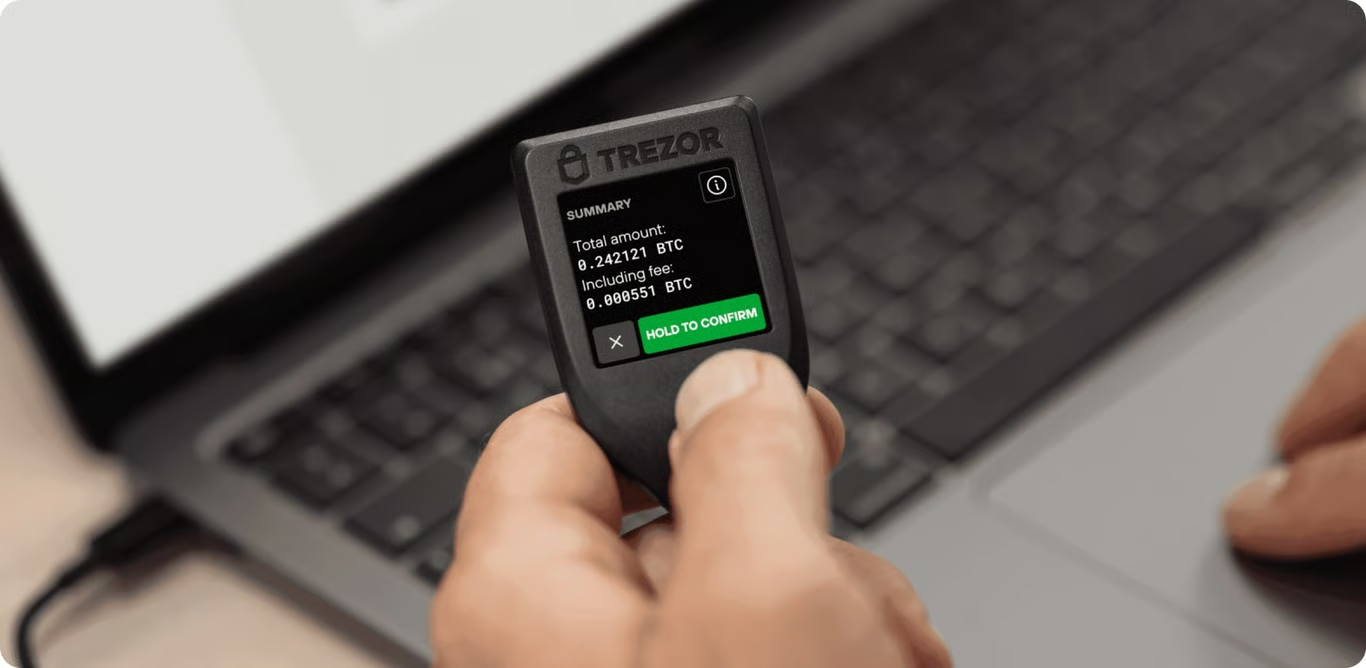
Model T’s touchscreen makes setup and daily use straightforward: generate the seed fully on-device, confirm PIN/passphrase entries without the keyboard, and review transaction details on the screen before approval. Trezor Suite presents a clean dashboard, clear fee controls, simple account structure, and optional privacy features (coin control for BTC, Tor toggle on desktop). No Bluetooth means fewer prompts and distractions; you connect by cable when you need updates or firmware installs.
Security Model (Open by Design)
Instead of a certified secure element, Model T uses a hardened microcontroller with an open threat model. Private keys never leave the device; sensitive steps (PIN/passphrase/seed) occur on the touchscreen. Open-source firmware and bootloader allow independent verification. For recovery, you can choose classic 12/18/24-word mnemonics or Shamir shares, distributing risk across multiple locations. No radios are inside, minimizing remote attack surfaces.
Assets, Networks & Features
Model T supports major coins (BTC, ETH, LTC, etc.) and thousands of ERC-20 tokens via Trezor Suite and partner integrations. It handles BTC Taproot addresses, PSBT workflows with desktop clients, and supports passphrase-protected hidden wallets. NFT viewing/management and staking are accessible through supported third-party connectors (when applicable), while keys remain on the device.
Model T vs Your Needs
| Use Case | Fit |
|---|---|
| Beginner long-term HODL | Excellent – simple setup, clear signing, robust recovery. |
| Open-source transparency | Best-in-class – code audited by community. |
| Mobile-first (wireless) | Good, but no Bluetooth; use cable/OTG. |
| SE-centric security model | Consider devices with certified secure elements if that’s your priority. |
Setup in 5 Quick Steps
- Connect via USB-C and install Trezor Suite (desktop).
- Create a new wallet; generate seed on the device (touchscreen only).
- Write down 12/24 words or set up Shamir shares; verify on-device.
- Set PIN and optionally a passphrase (for hidden wallets).
- Receive a small test transaction; verify address on the device screen.
Who Should Buy the Model T?
- Transparency-first users who want fully open-source firmware and audited builds.
- Beginners who benefit from a clear touchscreen and guided Suite onboarding.
- Long-term holders who value advanced recovery options (Shamir) and coin control.
Who Might Skip It?
- Those who specifically require a certified secure element.
- Mobile-first users demanding Bluetooth/NFC workflows.
- Buyers on a strict budget—consider Trezor Safe 3/5 alternatives or other entry options.
Should You Buy the Trezor Model T?
The Trezor Model T remains a reference for open-source hardware wallets. Its touchscreen UX, Shamir recovery, and Suite app make self-custody approachable without sacrificing control. If your trust model prioritizes transparency over a certified secure element, the Model T is an excellent daily driver for multi-asset storage and Bitcoin best practices.